WordPress plugin for rural houses, campsites, hostels, huts, apartments and any accommodation
Fill the places that get cancelled.
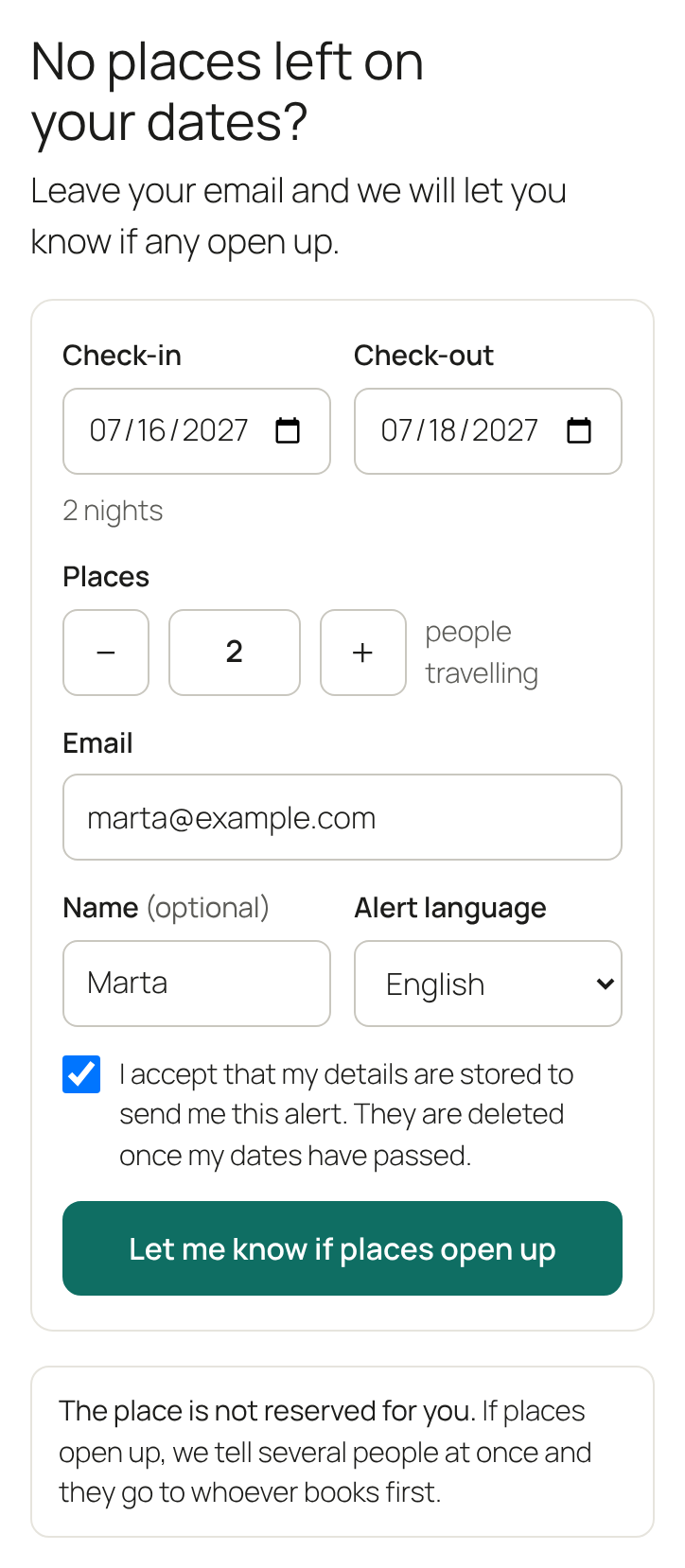
A small form on your website for guests who find their dates fully booked, and an alert for them when you free places.
Works next to any booking system. Nothing to connect.
- Mon 12Full
- Tue 13Full
- Wed 14Full
- Thu 15Full
- Fri 162 places
- Sat 172 places
- Sun 18Full
A cancellation shouldn’t mean an empty bed.
Cancelled places stay empty.
Someone wanted that night. They never found out it was free again.
The phone keeps ringing.
“Any chance for the 14th?” The same call, every day of high season.
Guests give up.
Nobody checks your booking page every day for a week. They book somewhere else.
An example. 2 cancelled places a week, over a 12-week season, at €40 a place: €960 that can stay empty. Your numbers will be different.
How it works, in 3 steps
The guest leaves their email.
On your website: dates, number of places and email. They confirm with a link, so nobody can sign up someone else.
You free the places.
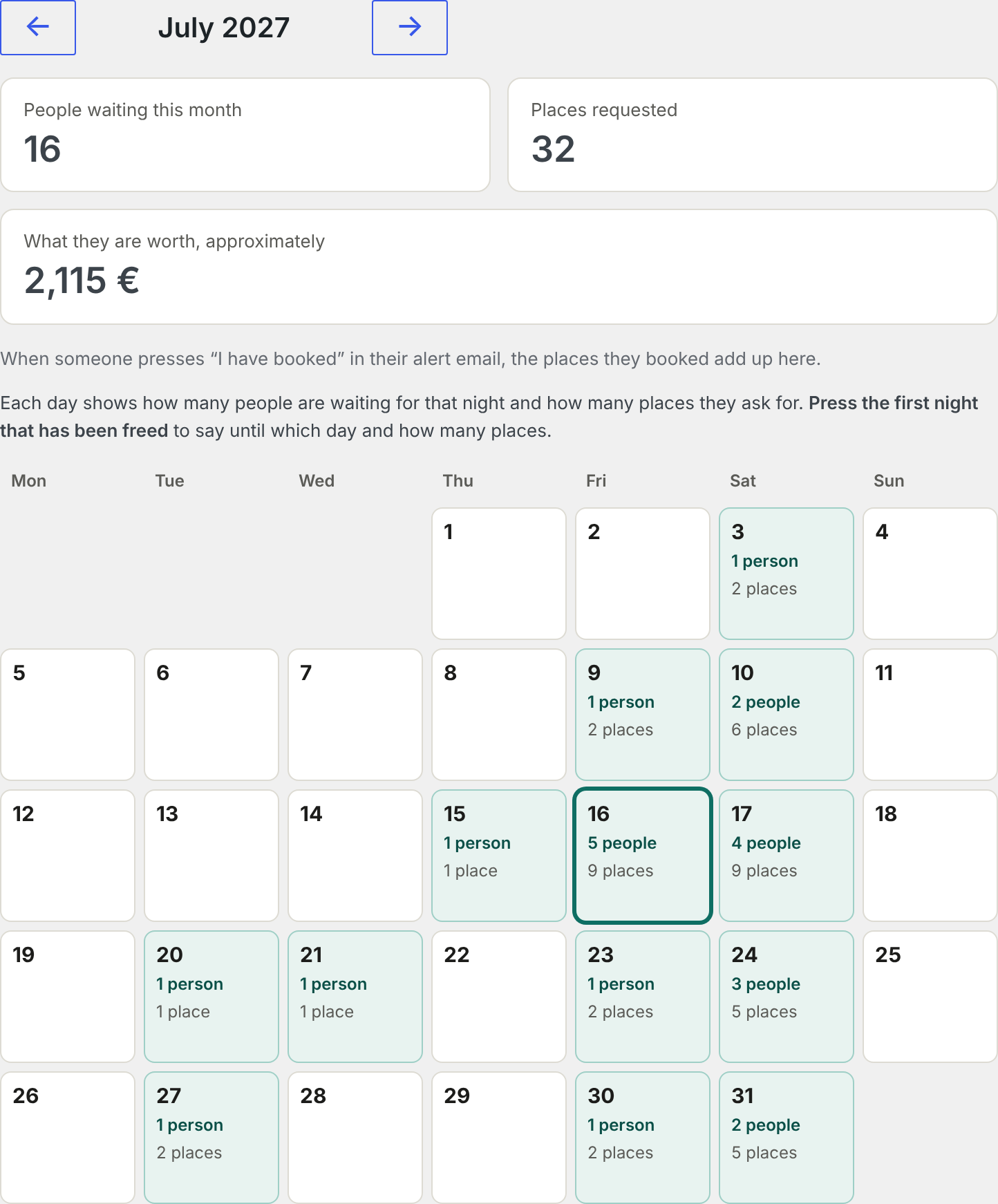
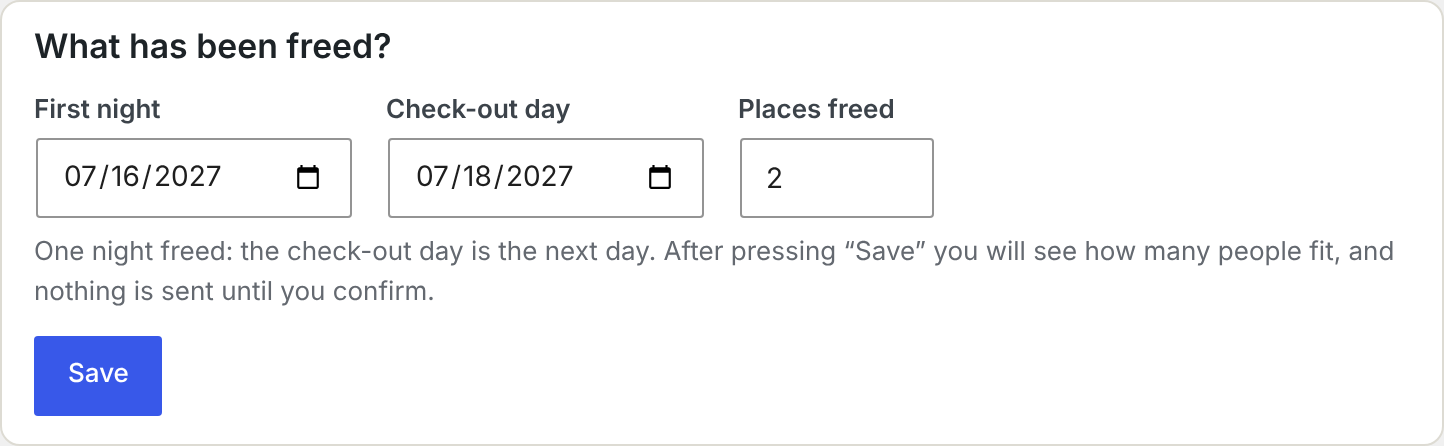
When someone cancels, open the calendar, press the first night, and say until which day and how many places.
The people who fit get the alert.
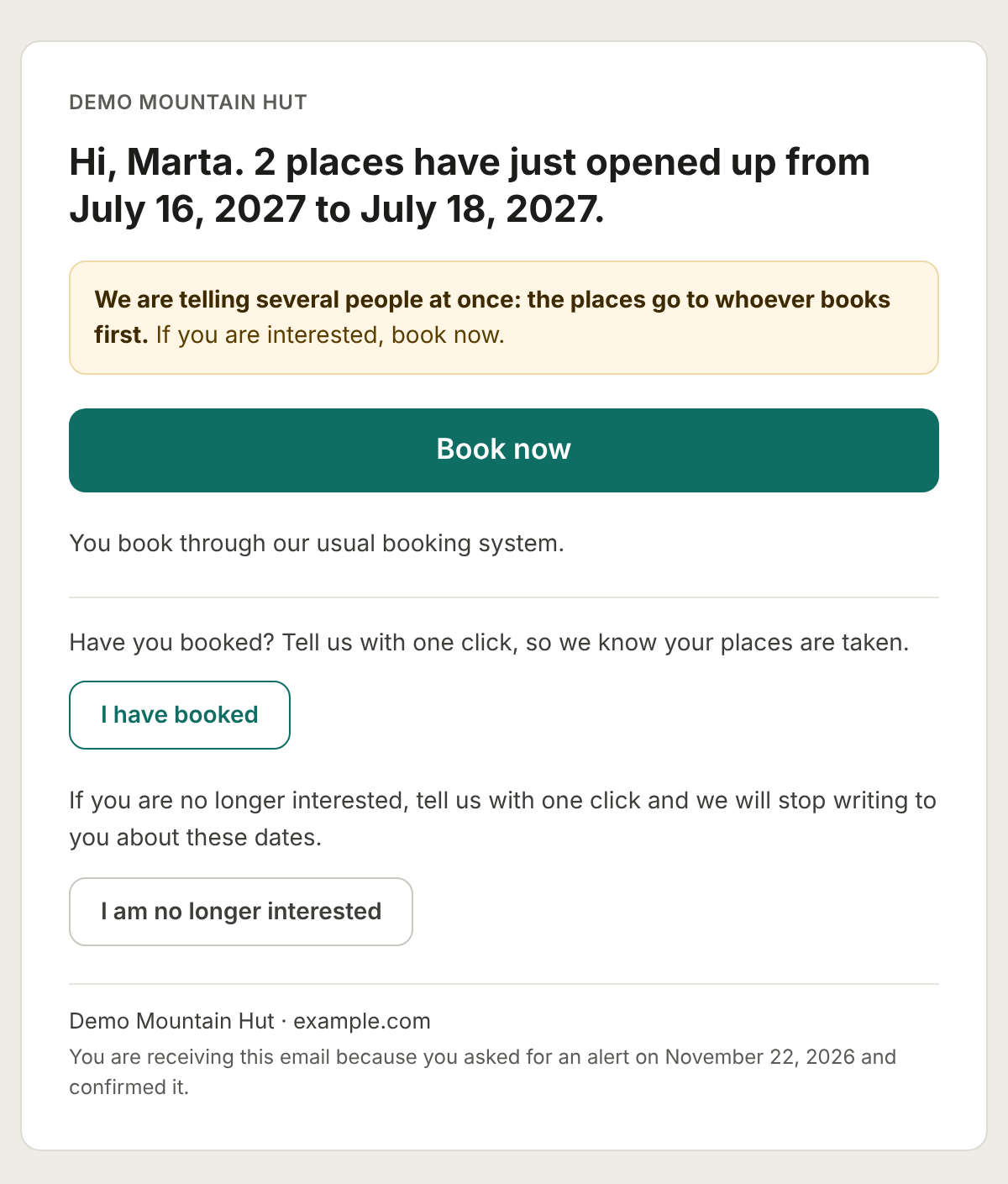
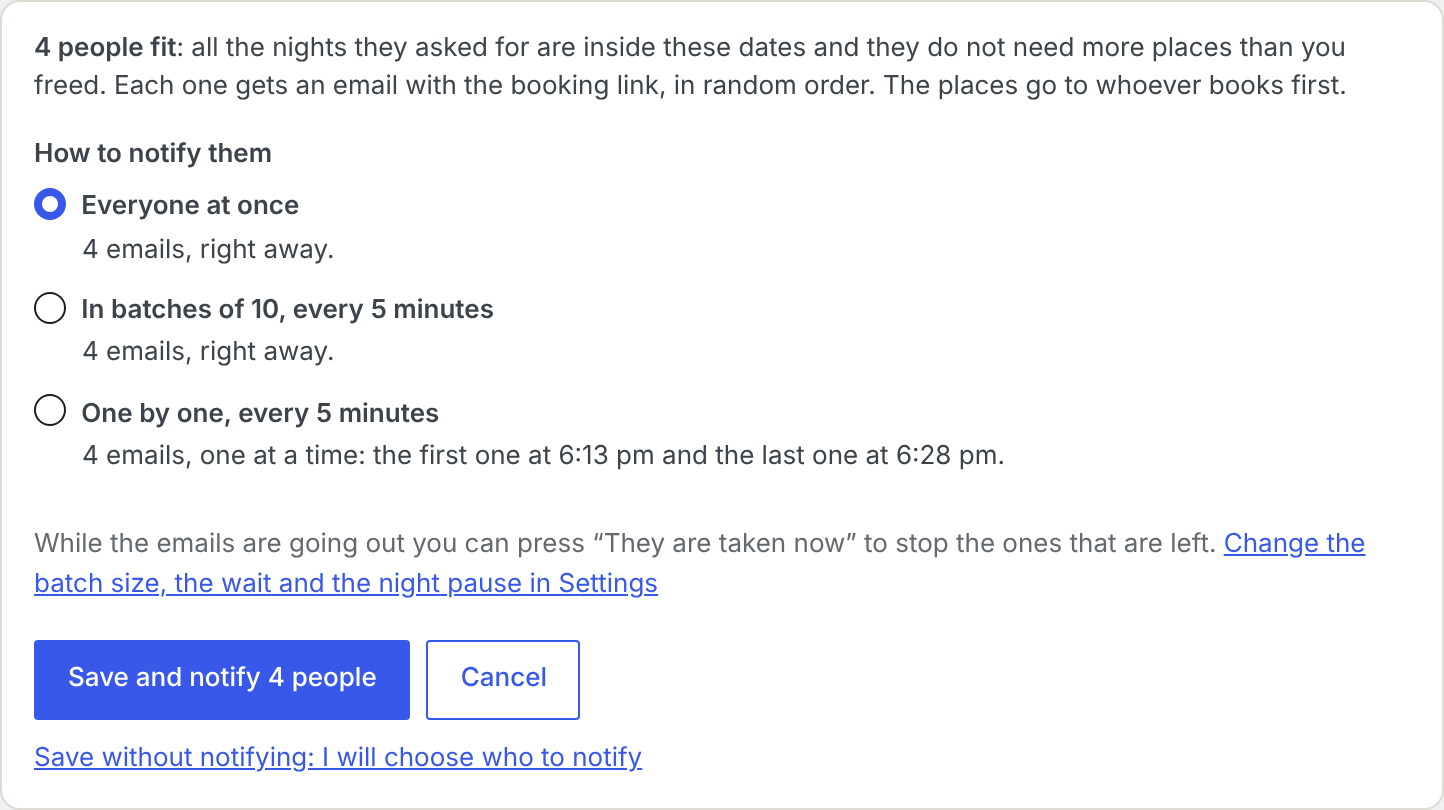
You see who fits those dates and press “Notify”. They get an email with your booking link, and the places go to whoever books first. With Pro, the emails go out on their own; and with your calendars (iCal), the places are freed on their own too.
Do you rent different things? Add types (pitch, bungalow, double room) and each guest says what they are looking for.
Works next to any booking system
PlazaPing does not connect to anything. You tell it when places are freed, and it tells the people who were waiting.
Bookings stay where they are.
The alert carries your booking link. Guests book the way they always did.
The data stays on your website.
Requests are stored in your own WordPress. We never receive them.
It tidies up on its own.
Requests are deleted when their dates arrive, when the guest cancels, or after 48 hours without confirmation.
Free does the job. Pro does it for you.
Free
€0
- Form with email confirmation
- Calendar of who is waiting each night
- “Notify” button for each person who fits
- Types (pitch, bungalow, double room)
- Demand counter: places requested and what they are worth
- CSV export
- English, Spanish and French
Pro
€29 a year + VAT, per website
Launch offer: −32% the first year
Try it for 14 days, no card needed
Everything in Free, and:
- Automatic alerts. Save the freed places and the emails go out on their own: everyone at once, in batches or one by one, with a night pause.
- One-tap WhatsApp. For guests who left their number, WhatsApp opens with the message already written. You press send, from your own number.
- Calendars (iCal). Paste the calendar links from Airbnb, Booking.com or your booking software. When a booked night becomes free and someone is waiting, PlazaPing proposes freeing it, or does it on its own. With automatic alerts, the whole thing runs by itself: a cancellation frees the places and notifies the people waiting, without you logging in.
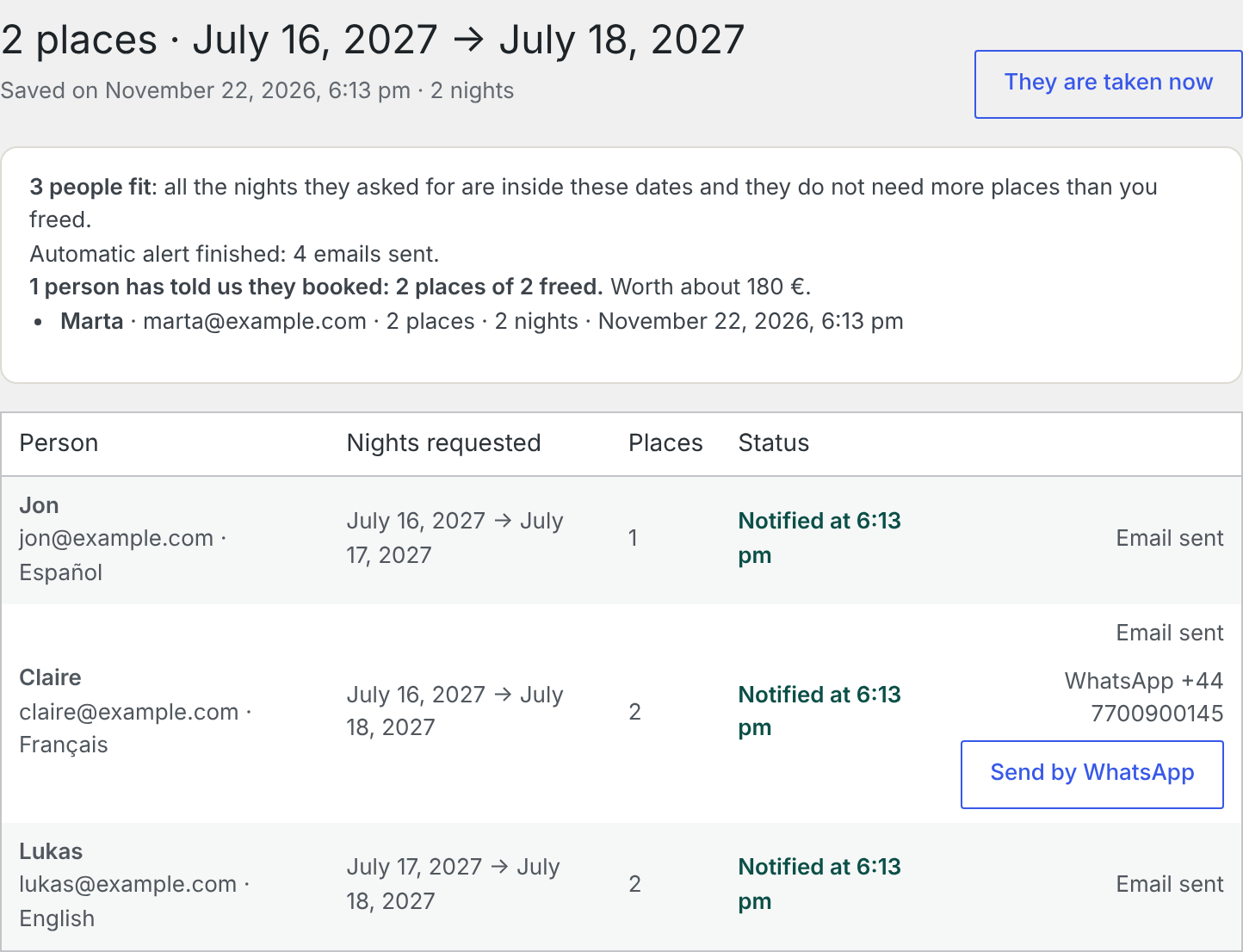
- “I have booked”. One button in every alert. You see who booked, how many places and what they are worth.
- Catalan and German, and your own words in the emails, in each language.
- Support by email.
If you stop paying, nothing is deleted. After 14 extra days the plugin goes back to the free features.
With Pro, you can leave it all on automatic. Someone cancels on Airbnb, Booking.com or any booking software with an iCal calendar. PlazaPing sees it, frees the places and emails the people who were waiting. You do nothing. If several bookings disappear at once, it asks you before notifying anyone.
Demo Mountain Hut
Hi, Marta. 2 places have just opened up from July 16, 2027 to July 18, 2027.
We are telling several people at once: the places go to whoever books first.
Book now:
https://example.com/book
I have booked:
https://example.com/?plazaping=reservado…
Up and running in 5 steps
PlazaPing is under review at WordPress.org. These steps will work as soon as it is published.
- Install it. In WordPress, go to Plugins, Add New, search for “PlazaPing”, install and activate.
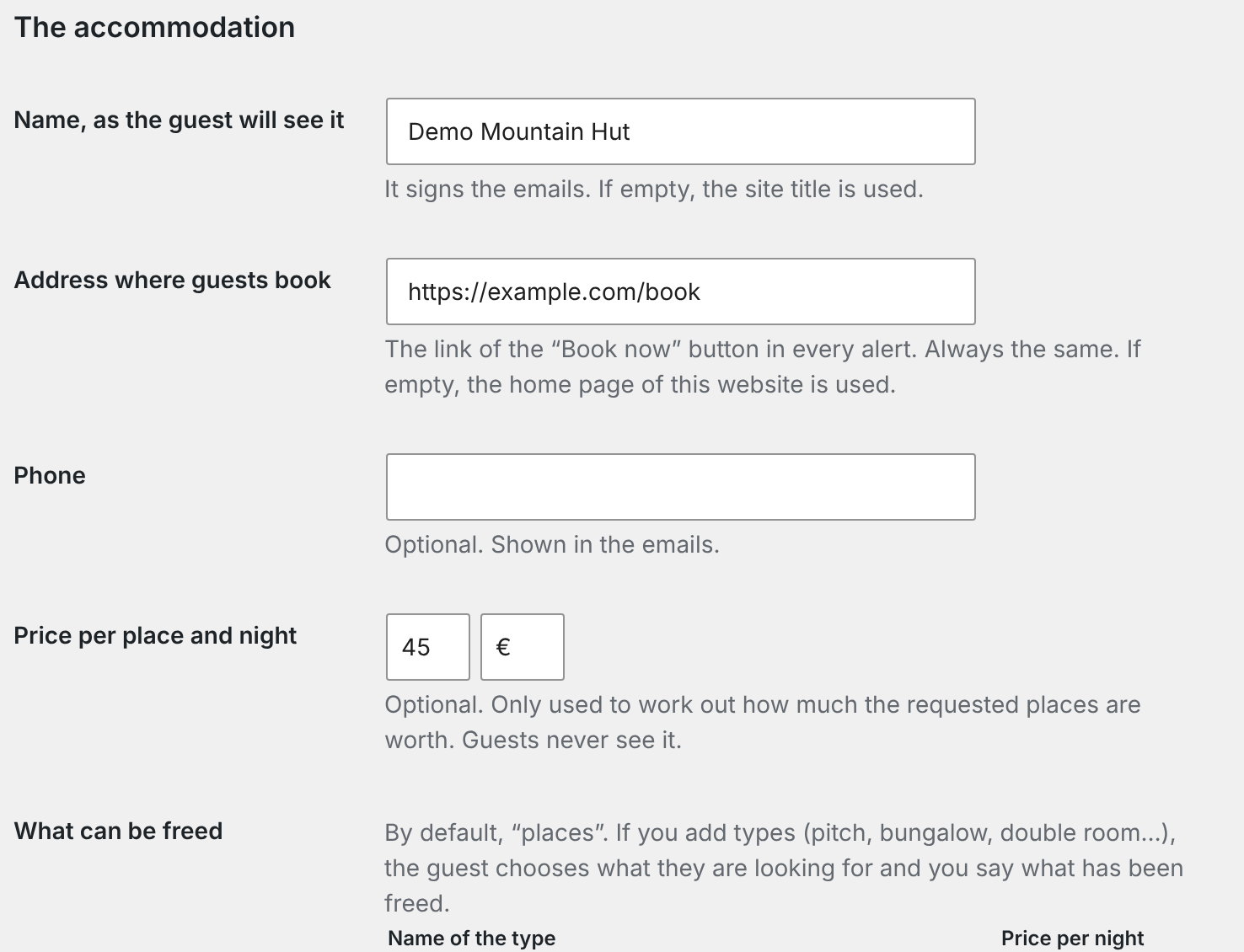
- Fill in the basics. In PlazaPing, Settings: the name of your accommodation, the address where guests book and your privacy policy.
- Make sure the emails arrive. Install an SMTP plugin (for example WP Mail SMTP or FluentSMTP) and send yourself the test email from Settings. Without one, alerts can end up in spam.
- Add the form. Put the PlazaPing block, or the
[plazaping]shortcode, on a page, next to your booking button. - When someone cancels, open PlazaPing, Calendar, free the places and notify.
Questions
Do I have to connect my booking system?
No. PlazaPing works next to it: you tell the plugin when places are freed. With Pro you can paste your calendar links (iCal) and leave it all on automatic: PlazaPing sees the cancellation, frees the places and sends the alerts.
Where is my guests’ data stored?
In your own WordPress database. It is never sent to us or to anyone else.
Does the guest get the place automatically?
No. Every alert says that several people are notified and that the places go to whoever books first, through your usual booking system.
What if the emails end up in spam?
Install an SMTP plugin and connect it to your email provider. Settings has a button to send yourself a test email.
What happens if I stop paying for Pro?
Nothing is deleted. You get 14 extra days, and then the plugin goes back to the free features, with your data and settings as they were.